Over the next few months, Webex meetings will transition to the Webex Suite meeting platform. This platform offers improved and simplified experiences across the entire Webex Suite.
You’ll need the new Webex mobile app on your iOS, iPadOS, and Android device to start and join meetings on the Webex Suite meeting platform.
The Webex Education Connector within Pilot has also updated to the new Webex LTI Legacy and later to the Webex LTI. Individuals will need to log in to Webex again inside of Pilot when visiting the page for the first time after these updates.
Information regarding the changes to the Webex Suite meeting platform can be found at the following Webex Help Article.
Information regarding the changes to the Webex LTI Legacy within Pilot can be found at the following Webex Help Article.
If you have any questions, contact the CaTS Help Desk at 937-775-4827, or helpdesk@wright.edu.
CaTS Blog
Important Webex Updates
Resolved: Current Issues With Webex Recordings in Pilot
Previous issues with Webex course recordings not being published in Pilot have been resolved. Please be aware that it may take up to 26 hours after a recording has ended for it to appear in Pilot.
If you are still experiencing issues, please contact the CaTS Help Desk at helpdesk@wright.edu.
Current Issues With Webex Recordings in Pilot
At this time, Wright State faculty members may experience issues with Webex course recordings not being published in Pilot. Cisco/Webex is aware of this issue and is currently working on a solution.
To manually post your Webex recordings in Pilot, follow the instructions below:
- Log in to wright.webex.com using your Wright State credentials
- Click ‘Recordings’ on the lefthand side of the Webex homepage
- Find the course recording(s) you wish to share to Pilot; click on ‘Share’ icon to the right of the recording
- Copy the video’s ‘Public Link’ and the password associated with the recording
- Log in to pilot.wright.edu using your Campus ‘w’ username and password, and paste the video link and password to the respective course
CaTS will notify Campus once this issue has been resolved. If you have any questions, please contact the CaTS Help Desk at 937-775-4827 or helpdesk@wright.edu.
Important Information Regarding Panopto
We appreciate your attention to this important message.
The CaTS-ITS department worked with the Faculty Senate IT Subcommittee during the March meeting and shared the need for developing a retention plan for video content in Panopto. A three-year retention was agreed upon but after further work, ITS determined that delaying the implementation of a three-year retention policy for Panopto would be necessary.
What does this mean for Panopto content?
Users do not need to take any action to migrate Panopto video content. Video that has not been accessed in the last 13 months will be moved to an "archived" state. Video that has been accessed within the last 13 months will remain in an "active" state.
Please go to wright.edu/its-project for more important information about Panopto retention including a breakdown of frequently asked questions.
If you have any questions, please contact the CaTS Help Desk at 937-775-4827 or helpdesk@wright.edu.
Important Information Regarding Blackboard Collaborate Ultra
We appreciate your attention to this important message.
The CaTS-ITS department worked with the Faculty Senate IT Subcommittee during the March meeting and shared the need for one video conferencing tool to be adopted as the primary tool used for all students and faculty. The use of one tool is not only student-centered, it is more efficient to support and provide training.
Webex was selected as the primary video conferencing tool for use at Wright State University.
What does this mean for Blackboard Collaborate Ultra users?
Due to the adoption of Webex, Blackboard Collaborate Ultra will end on August 5, 2022.
Users do not need to take any action to migrate Blackboard content. All Blackboard content will be backed up to on-campus local storage by ITS prior to ending the Blackboard Service. More information will be shared about when the backup will occur and how to access this video content in the coming weeks.
Please go to wright.edu/its-project for more information about Blackboard Collaborate Ultra.
If you have any questions, please contact the CaTS Help Desk at 937-775-4827 or helpdesk@wright.edu.
Instructional Technology Resource Alignment and Retention Project
The purpose of this email is to share important information about a few major instructional technology system changes.
Video Conferencing Tool Selection
The CaTS-ITS department worked with the Faculty Senate IT Subcommittee during the March meeting and shared the need for one video conferencing tool to be adopted as the primary tool used for all students and faculty. The use of one tool is not only student-centered, it is more efficient to support and provide training.
Webex was selected as the primary video conferencing tool for use at Wright State University.
What does this mean for Zoom and Blackboard Collaborate Ultra?
Our Zoom evaluation trial will end on May 31, 2022. Blackboard Collaborate Ultra use will end on August 5, 2022.
What do you need to do now in regards to your videos stored on Zoom or Collaborate?
Zoom evaluation customers will be given instructions early next week with details on how to copy and preserve any recordings from this Spring and last Fall they wish to keep.
Blackboard Collaborate Ultra customers have nothing to do now. CaTS will preserve all Collaborate recordings and make them available outside of Blackboard in the coming months.
Pilot and Panopto Retention Schedules
The CaTS-ITS department worked with the Faculty Senate IT Subcommittee during the March meeting and shared the need for a retention schedule for both Pilot and Panopto. A retention schedule will not only ensure system security best practices, but it will also allow for improved system performance.
Pilot course content will be kept for six years and Panopto video content will be kept for three years. Panopto content that has not been accessed for the last 13 months will be archived. During this initial attempt of retention for Panopto, we will archive all of the content and slowly move to the three-year retention schedule.
What do you need to do now in regards to your videos or content stored on Panopto and Pilot?
Nothing. Additional information will be shared in the next days and weeks outlining a three-phase ITS Resource Alignment Project. Each phase will provide additional information including a webpage that will provide a timeline; infographic outlining the phase; and how-to document/video if action is necessary. At this time, faculty do not have to take action to download any Panopto video content. Additionally, the Pilot retention process will not begin until the end of Fall Semester 2022.
The message about Zoom will be sent to the faculty affected on Monday, April 18, 2022.
The message about Phase I Blackboard will be sent on Wednesday, April 20, 2022.
The message about Phase II Panopto will be sent to on Thursday, April 21, 2022.
The message about Phase III Pilot will be sent on Monday, August 8, 2022.
We appreciate your attention to this important message.
Current Webex Access Issues for 2/4/22
CaTS is currently experiencing issues with Webex, and users may experience issues when attempting to join a meeting.
For more information about this outage including status updates, please visit https://status.webex.com/service/status?lang=en_US.
If you have any questions, please call the CaTS Help Desk at 937-775-4827, or email helpdesk@wright.edu.
Resolved: Issues Accessing Webex Sessions Through Pilot
Earlier issues connecting to Webex sessions through Pilot have been resolved.
If you are still experiencing issues or have any questions, please contact the CaTS Help Desk at 937-775-4827, or email helpdesk@wright.edu.
Issues Accessing Webex Sessions Through Pilot
At this time, Wright State members may experience issues when attempting to join a Webex meeting or class using the Webex external learning tool in Pilot. Users attempting to access a meeting link through Pilot are receiving a 502 Bad Gateway error message, and are unable to join the session (pictured below).
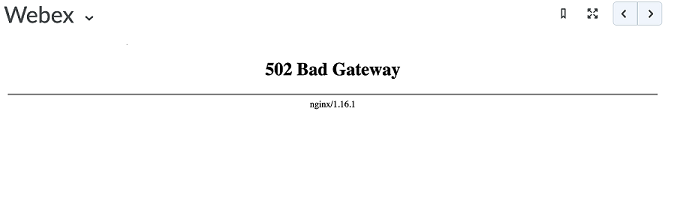
Those attempting to join Webex sessions outside of Pilot should be able to continue using the service as normal.
CaTS and The CTL are working with Cisco on a resolution to this issue, and will notify campus once this has been resolved.
If you have any questions, please contact the CaTS Help Desk at 937-775-4827, or email helpdesk@wright.edu.
Best Practices for using Live Virtual Classrooms
Cisco Webex Best Practices
- Be consistent. Using the same video conferencing tool is a student-centered approach to instruction.
- Clarify the access procedures. Communicate technology and browser requirements to your students at the beginning of the term. Before a class is scheduled to meet, make sure the students know procedures and basic troubleshooting tips for joining the session.
- Web Browser tips: Completely close your browser before beginning a session, always use the most up-to-date version of your browser (preferably Chrome or FireFox) and limit open browser tabs to ones you are using for that session.
- Have a backup plan in case a live session gets interrupted, and participants cannot immediately get back into it. Create a plan for when things go wrong and communicate this plan including how you will notify them and where they are to go BEFORE class sessions begin. Microsoft (MS) Teams is the backup video conferencing tool for Webex. Setup at this link https://www.wright.edu/information-technology/microsoft-teams - try to setup before you need MS Teams.
- Provide students with information on where to get tech support if they have an issue. If you need Webex support, contact the CaTS Help Desk.
- Set clear expectations within your sessions. Do you want students to use profile pictures, have their webcams on, mute their mics, raise their hand before opening their mics, how you expect them to use the chat function, etc.?
- Breathe. Take a deep breath and contact the CaTS Help Desk if you need any assistance including questions, features and overviews of how Webex works. We’re here to help!
Contact Information
CaTS Help Desk
helpdesk@wright.edu
937-775-4827

