CaTS | Information Technology

CaTS Blog

Changes to Server Registration Application

Wednesday, January 16, 2019

Recently the Server Registration application failed after an attempt to upgrade the server on which it was installed. Rather than attempt to rewrite the application, the decision was made to transfer the server registration process to ServiceNow. 

Previously registered servers have been migrated into ServiceNow and all server registrations requests will now be processed there. The request forms are now accessible at https://wrightstate.service-now.com/nav_to.do?uri=%2Fhome.do%3Fsysparm_view%3Dserver_reg

Instructions for managing your server(s) are available at https://wrightstate.service-now.com/sp?id=kb_category&kb_category=086d356a133e27407e89fabed144b0e0. If you have any questions, contact the CaTS Help Desk at (937) 775-4827, or email helpdesk@wright.edu

Reminder: Two-Factor Authentication Service Available Now!

Thursday, November 8, 2018
Duo Mobile

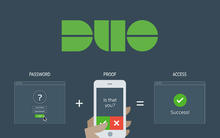
CaTS now offers a two-factor authentication service to increase security of your Wright State account!

As of March 5th, 2018 you now have the option to sign up for two-factor authentication through DUO Mobile. If you choose to sign up for this servicem you will be prompted to confirm your login when accessing services like WINGS, Office 365, ServiceNow, and more. All hardwired office machines and classroom instructor stations will not require two-factor authentication into most services.

What is Two-Factor Authentication?

Two-factor authentication is an extra layer of security that requires not only a username and password, but also authenticates with a device in your possession (cell/smart phone, key fob, landline phone). View an instruction video for enrolling your device here: https://www.youtube.com/watch?v=EMj89Ulpx6c.

Benefits of Two-Factor Authentication

  • Individuals utilizing two-factor authentication will have their campus 'w' password set to never expire
  • Provides increased online security
  • Provides increased security for your Wright State accounts

For more information regarding two-factor authentication, visit wright.edu/2fa. If you have questions about signing up for this service, call the CaTS Help Desk at (937) 775-4827, or email helpdesk@wright.edu

Urgent: Phishing Scam Notice for 10/23/18

Tuesday, October 23, 2018

The Help Desk was recently notified of an email phishing scam that targets Wright State students, faculty, and staff. The email appears to come from Wright State President Cheryl Schrader with the subject line 'Follow Up'.

Please be aware that this is a scam. Do not reply to the email, and delete it from your inbox.

If you have any questions, contact the CaTS Help Desk at (937) 775-4827 or email helpdesk@wright.edu

Phishing Scam Notice for 10/22/18

Tuesday, October 23, 2018

The Help Desk was recently notified of two email phishing scams targeting Wright State students, faculty, and staff.

The emails have the subject lines of 'Urgent Message', and 'Unknown Login' and are attempting to obtain your Wright State credentials through a link in the email.

Do NOT click on the link or provide any account information. As a reminder, CaTS will never ask you to click on a link andp rovide any personal information via email.

If you have provided any account information after clicking on the link, please contact the CaTS Help Desk immediately at (937) 775-4827.

Phishing Scam Notice: Old Passwords Referenced in Emails

Wednesday, October 3, 2018

Phishing scams have taken on a new twist; cybercriminals have recently started using old, exposed passwords from company data breaches in phishing emails.

How Does It Work?

An old password, obtained from a company's data breach, is referenced in a phishing email indicating the user's account has been compromised. Referencing a password that is known by the user is designed to lend credibility to the phishing email making it seem more legitimate. A link is provided for the user to login to what appears to be a Wright State authentication page to get further information. The website is fake, but looks identical to WSU's authentication page. Once the user enters their username and password they are then redirected to the real WSU website. It appears to the user that they must have done something wrong, or typed their password incorrectly. They then login again to gain access to a real WSU site. Of course there is no information on the WSU site since the compromise did not occur on our systems. The user's password and username have now been captured by the scammer.

This is only one scenario; there are many variations that can occur.

It's important to note that CaTS will NOT send a password or ask you to click a link to sign in to our services through an email as directed above. If there is evidence a person's account has been compromised, CaTS will contact you directly. If CaTS is unable to contact you, we will change your password to protect the confidentiality of the account.

If you do recognize a password that has been included in the email, CaTS recommends changing the password for that service (i.e. LinkedIn, Netflix, as well as Wright State accounts).

Questions?

If you have any questions or receive an email like this, contact the CaTS Help Desk immediately at (937) 775-4827, or email helpdesk@wright.edu.
IT Security Update: September 2018

Wednesday, September 19, 2018

Ransomware

Ransomware has been in the news quite a bit lately. Reports about hospitals having to pay a 'ransom' to unlock encrypted files have made the news several times over the past year.

What is Ransomware?

Ransomware is malicious software that is typically delivered via an email phishing scam. For example, an infected file attached to an email can install a program that encrypts documents without the user knowing. These small programs also look for any attached USB and network drives (such as our H, K, and R drives), to encrypt documents and backups on those drives. Once encrypted, the documents are no longer usable without a key to decrypt them. 

Where Does 'Ransom' Come In?

For a price, the 'bad guys' will provide you with the key to decrypt your documents. They usually want payment through a non-traceable method, such as electronic currencies like Bitcoin.

How is CaTS Protecting the University Against Ransomware?

The first line of defense is an email protection system that blocks malicious files from reaching your inbox. This solution blocks the majority of ransomware threats, but is not 100% effective due to many variants that are created on a daily basis.

The second line of defense is the antivirus/antimalware program installed on the local computer. Since many individuals on campus don't use our network storage, this protection becomes very important in keeping documents safe from ransomware. To that end, CaTS is deploying SentinelOne, a next generation antivirus/antimalware program that is not only signature based but also uses machine learning and behavior based analysis to detect malicious software. Additionally, SentinelOne protects locally stored documents by creating a protected backup that can be utilized to restore those documents. 

CaTS will be contacting individual departments to arrange installation of SentinelOne on a department by department basis.

As a last line of defense, documents stored on our network storage (H, K, and R drives) can be restored from backups that are performed every night. These backups are not accessible from your computer, therefore, the ransomware cannot encrypt them.

Questions?

If you've fallen victim to ransomware, shut down your machine and call the CaTS Help Desk immediately. If you have any questions, call us at (937) 775-4827, or email helpdesk@wright.edu

Monthly Security Reminder: June 2018

Tuesday, June 26, 2018

Data Classification and Risk

Welcome to the June 2018 edition of the Monthly Security Reminders email, brought to you by Wright State's Chief Information Security Officer. This newsletter will provide you with tips, best practices, and guidelines for how to better secure both your personal and university data. This month's focus is on data classification and risk.

All universities manage large amounts of data, which falls under one regulation or another. A few examples include:

  • HIPAA - Health Insurance Portability and Accountability Act
  • FERPA - Family Educational Rights and Privacy Act
  • PCI-DSS - Payment Card Industry Data Security Standard

Some data is considered directory and public information, which can be viewed by the general public, unless a specific request is made to make such information private. To help all of us understand how to handle the various data types in a safe and compliant manner, CaTS has created a reference document, which can be found at https://wrightstate.service-now.com/kb_view.do?sysparm_article=KB0010407.

CaTS highly recommends reviewing the document and double checking your processes to make certain they comply with the various regulations we are subject to as a university.

If you have any questions, contact the CaTS Help Desk at (937) 775-4827, or email helpdesk@wright.edu.

For more security tips, best practices, and guidelines, visit the Information Security website

Important Security Reminder: Phishing

Tuesday, June 26, 2018

CaTS has noticed an increase in the number of phishing attempts at the beginning of Fall, Spring and Summer semesters. Below is information to help keep your Wright State accounts secure:

What are phishing scams?

  • Phishing scams are emails designed to trick you into sending an unknown third party your account information or other personal or financial information.
  • These emails may look like they’re coming from Wright State, CaTS, your bank or credit card issuer, or any other institution you do business with.
  • The links in phishing emails will often take you to a web page that mimics our login page; in such cases, go directly to the web page by typing in the URL such as wings.wright.edu rather than trusting the link.

How can you avoid phishing scams?

  • Remember that CaTS, WSU, and other reputable businesses WILL NEVER ask you for any personal information, such as your username and password, via email.
  • Never respond to a suspicious email or click links in those emails.
  • Don’t give out your personal information to anyone via email.
  • Don’t download attachments from an email unless you trust the sender.

If you receive an email and are unsure if the message is a scam, feel free to contact the CaTS Help Desk at (937) 775-4827. We can help you determine whether the email you received is real or not.

Reminder: Two-Factor Authentication Service Now Available!

Tuesday, March 20, 2018

CaTS now offers a two-factor authentication service to increase security of your Wright State account!

As of March 5th, you now have the option to sign up for two-factor authentication through DUO Mobile. If you choose to sign up for this service, you will be prompted to confirm your login when accessing services like WINGS, Office 365, ServiceNow, and more. To sign up, visit https://wright.edu/2fa.

What is Two-Factor Authentication?
Two-factor authentication is an extra layer of security that requires not only a username and password, but also authenticates with a device in your possession (cell/smart phone, key fob, landline phone). View an instructional video for enrolling your device here: https://www.youtube.com/watch?v=EMj89Ulpx6c.

Benefits of Two-Factor Authentication

  • Individuals utilizing two-factor authentication will have their campus ‘w’ password set to never expire.
  • Provides increased online security.
  • Provides increased security for your Wright State accounts.

DUO Open Forums
Several Open Forums are being held to provide more information, answer any questions, as well as give you an opportunity to sign up for this new service.

  • Tuesday, March 27: 11:30 a.m.-12 p.m. (005 Library Annex)
  • Wednesday, March 28: 1-1:30 p.m. (005 Library Annex)
  • Thursday, March 29: 2:30-3 p.m. (005 Library  Annex)
  • Friday, March 30: 2:30-3 p.m. (005 Library Annex)
  • Monday, April 2: 9-9:30 a.m. (005 Library Annex)

For more information regarding two-factor authentication, visit https://www.wright.edu/information-technology/services/two-factor-authen.... If you have questions about signing up for this service, call the CaTS Help Desk at (937) 775-4827, or email helpdesk@wright.edu

Urgent: Phishing Scam Notice for 2/16/18

Friday, February 16, 2018

The Help Desk was recently notified of an email phishing scam that targets Wright State students, faculty, and staff. The email appears to come from Wright State President Cheryl Schrader and contains a message like the one shown below, along with a link to click. DO NOT click the link or provide your Wright State account information! If you have already clicked on the link and entered your account information, please contact the CaTS Help Desk immediately.

BEGIN COPY OF SCAM MESSAGE:

----------------------------------------------------

Subject: Report from President Cheryl B. Desk

President Cheryl B, Schrader sent you a report,

Report_Feb_16_2018 [LINK IS HERE IN EMAIL]

Cheryl B. Schrader, Ph.D
President
Wright State University.

----------------------------------------------------

END COPY OF SCAM MESSAGE

Please be aware that this is a scam. Again, do not click the link in the email.

If you have any questions about this scam, contact the CaTS Help Desk at (937) 775-4827, or email helpdesk@wright.edu.

Pages