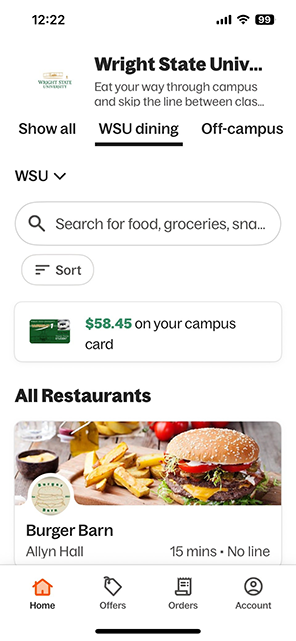
Eating on campus? Skip the line! Order through the app, then pick up your food using the in-app receipt. Pay with Wright1 Card balance or a credit/debit card.
Follow the steps below to set up your account and start placing orders.
Get the App
-
Download the Grubhub app:
Set Up Your Account
-
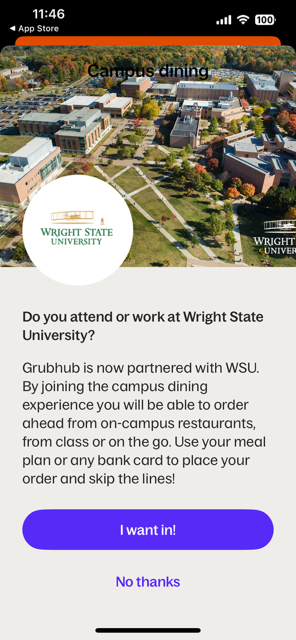
Select "I WANT IN" to join the campus dining experience at Wright State University.
-
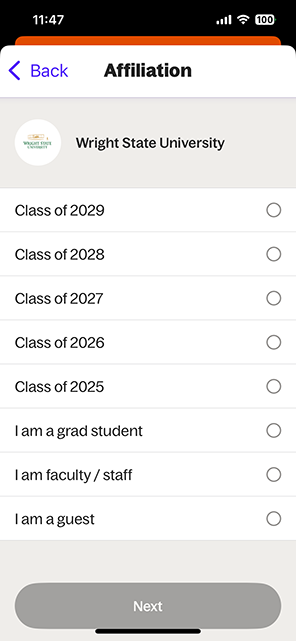
Select your Wright State University Affiliation.
-
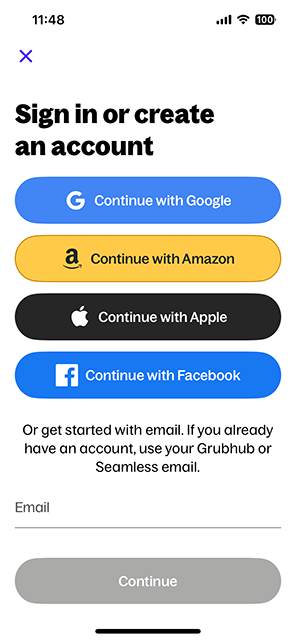
Create new account or sign in with existing Grubhub account.
-
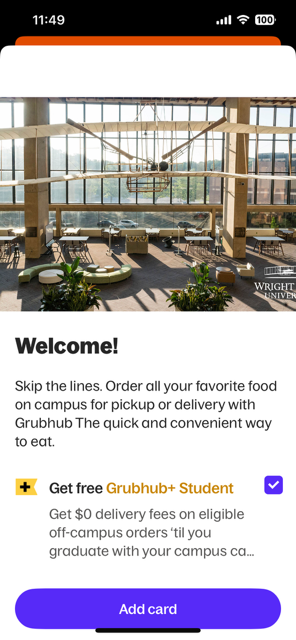
Select "ADD CARD"
-
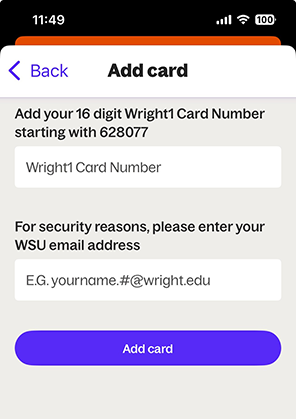
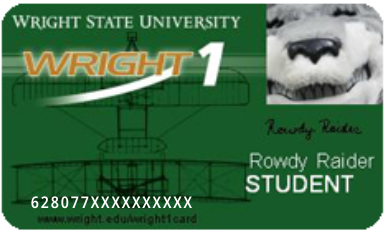
Enter Wright1 Card number (16 digits on front of Wright1 Card) and Wright State email (example: lastname.###@wright.edu)
-
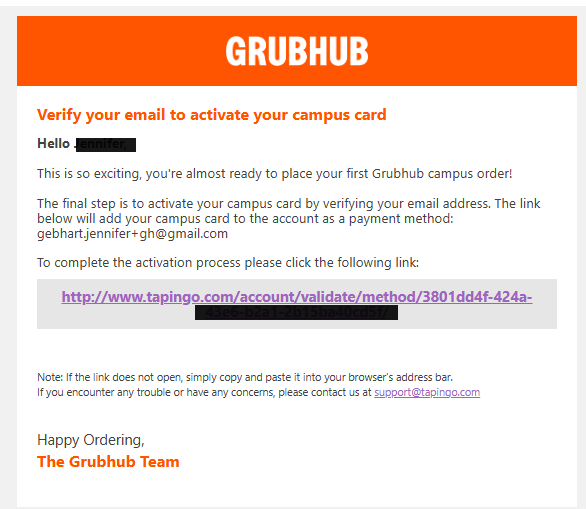
Verify your email address* to activate your Wright1 Card.
Congratulations! Your Grubgub Campus Dining Grubhub Account is ready to place first pick-up order.
*Sent to Wright State email
-
Once your account is set up, you can see your Wright1 Card balance on the Grubhub app.